Set the reference
Measure the approved sheet, or pull a saved color from the library.
SpectroFit reads density, dot area, and L*a*b* in one second and sends every measurement to the cloud — over Bluetooth, from a PC or a phone.
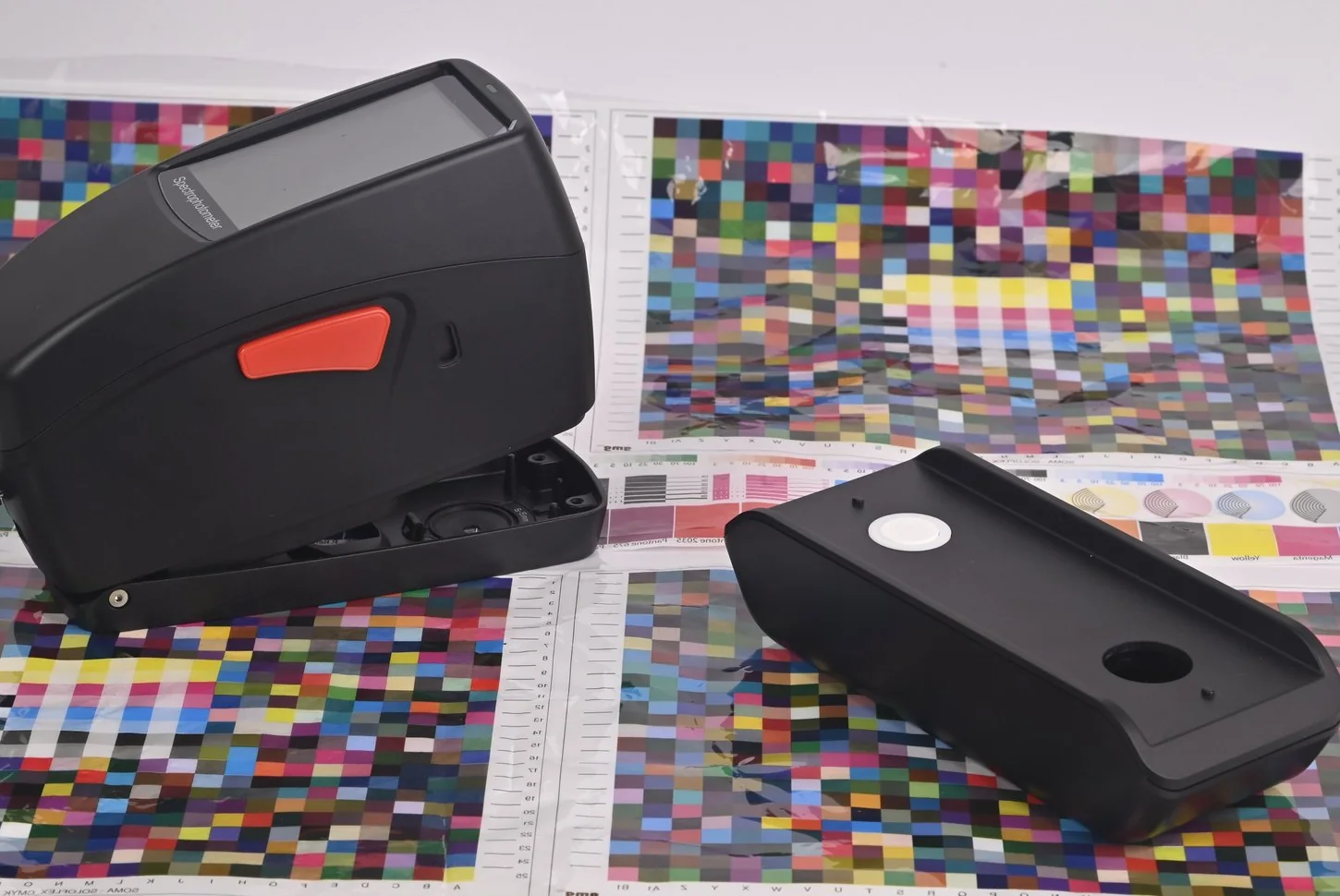
From one-press shops to plants running eight.
The same sequence every operator follows, on every job, whether they are working from a PC or a phone.
Measure the approved sheet, or pull a saved color from the library.
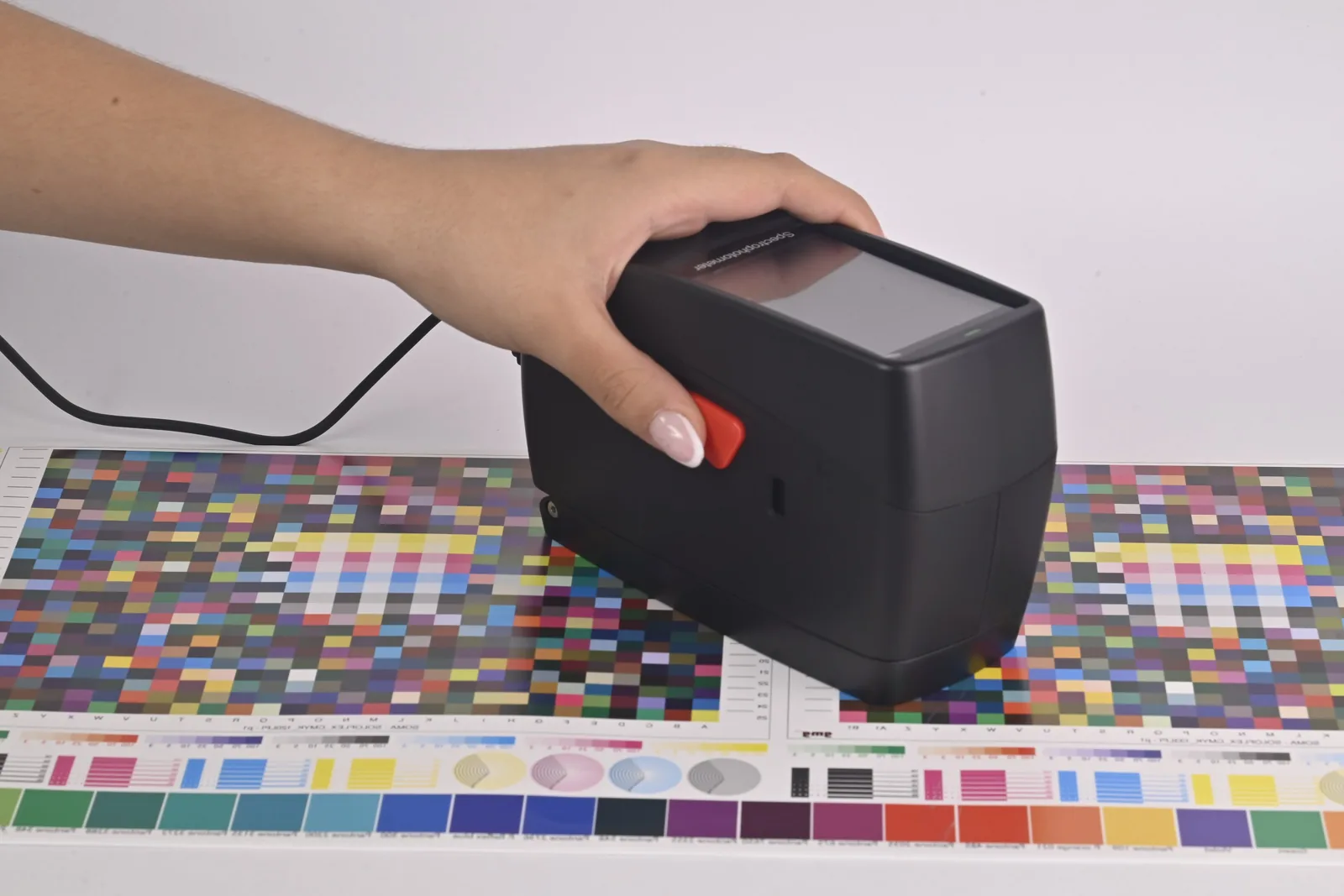
Press the device to the sheet. One second, and the reading is on screen.
ΔE against your tolerance, shown green, amber (at risk), or red. No interpretation needed.
Every reading syncs to the cloud, filed by client and job.
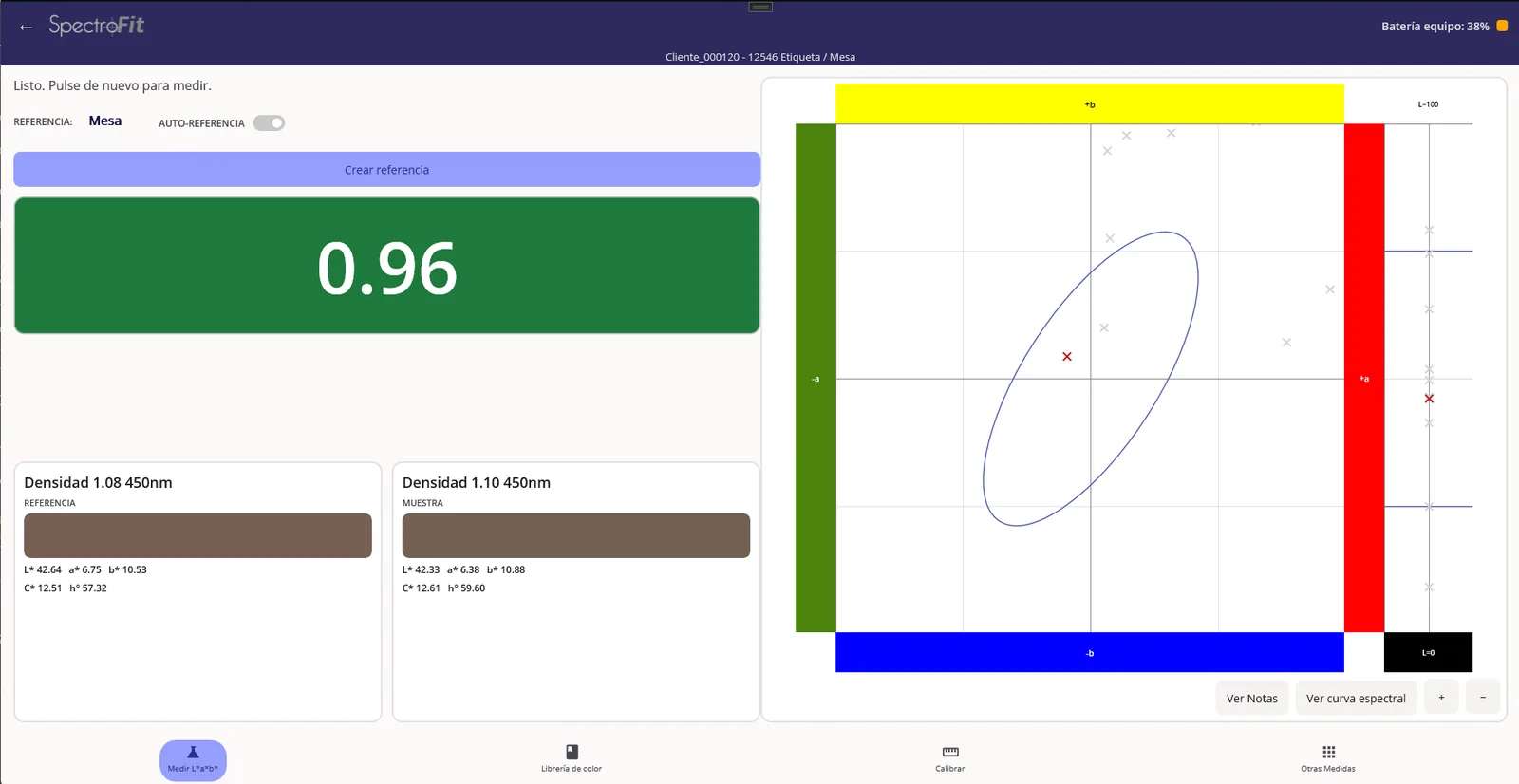
This is the whole screen, on Windows and on Android alike: one number, on a field of color that says what to do about it. Nobody needs a color engineer on the night shift to know whether the sheet ships.
Inside tolerance. Keep running.
Drifting toward the limit. Correct it before it crosses.
Out of tolerance. Stop and fix it.
The numbers are all still there — L*a*b*, L*C*h°, the spectral curve, tolerance by CIE ab (1976), CMC, CIE94 or CIE2000 — for the day you need them, or for the customer who asks. They just aren't what the shift depends on.
SpectroFit works connected to a PC, a phone or a tablet. There is no internal memory somebody has to remember to download, and no reading that only ever existed in an operator's head. Every measurement is born inside the app, filed against a client and a job.
That is the trade, and it is deliberate: no measurement exists only inside the instrument. We recommend wi-fi coverage on the press floor, or simply mobile data on the phone, which is how most of our customers work.
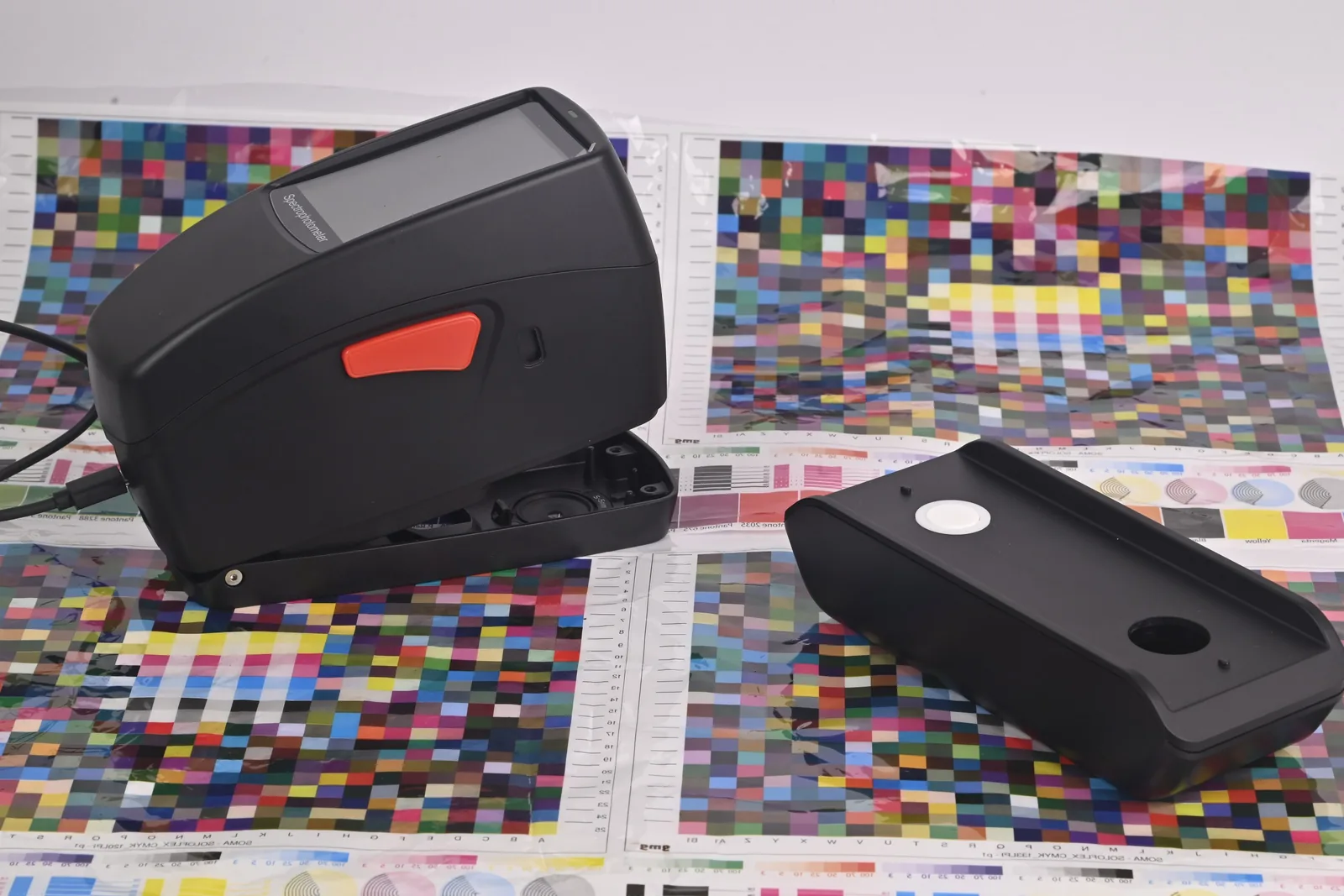
SpectroFit pairs over Bluetooth and runs on its own battery, so nothing tethers the operator to a workstation. Plug in over USB-C when you would rather not rely on a wireless connection.
A new application, not an update. The reference and the sample sit side by side, the tolerance chart shows live beside them, and the verdict fills the screen in green, amber (at risk), or red so it reads from across the press.
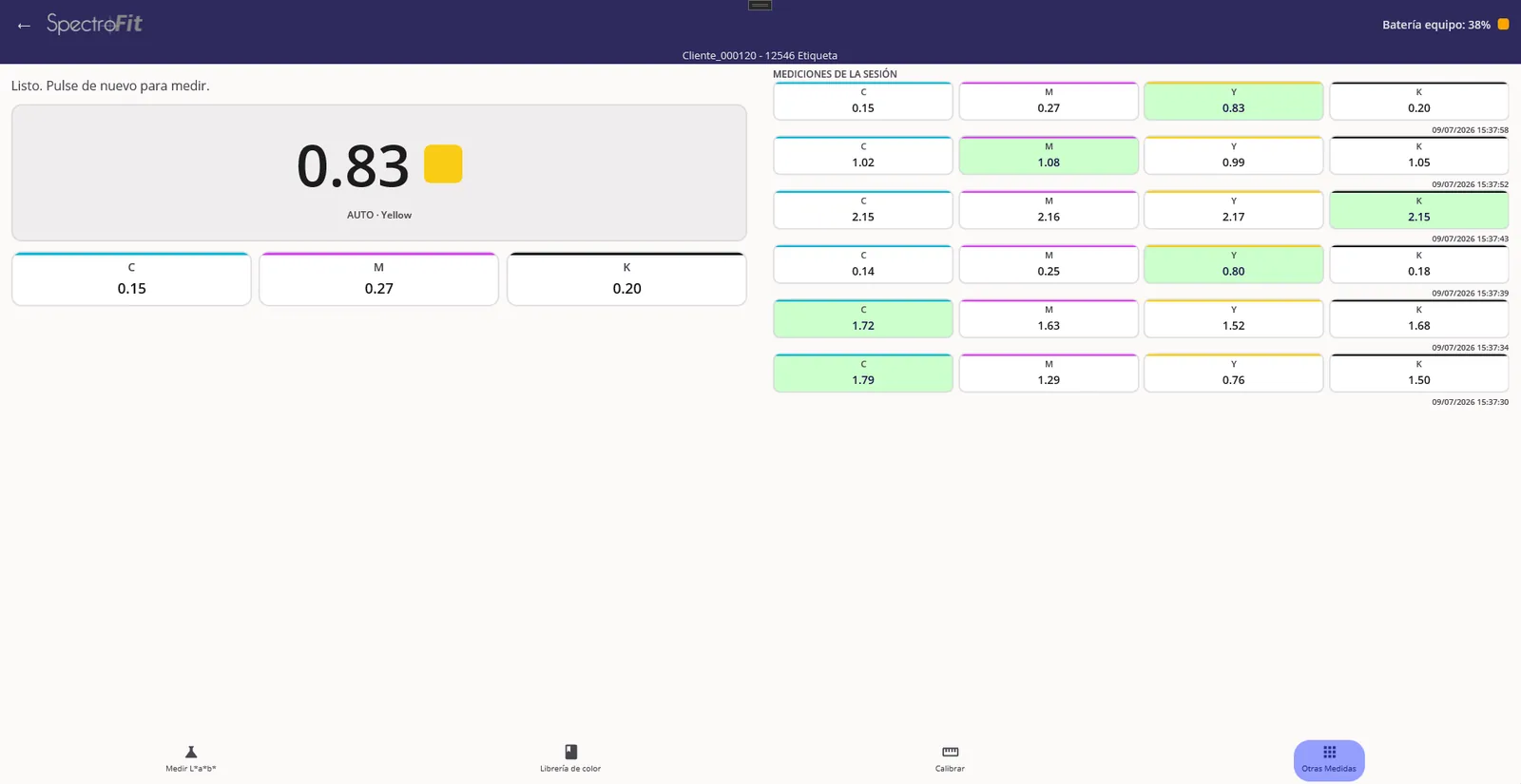
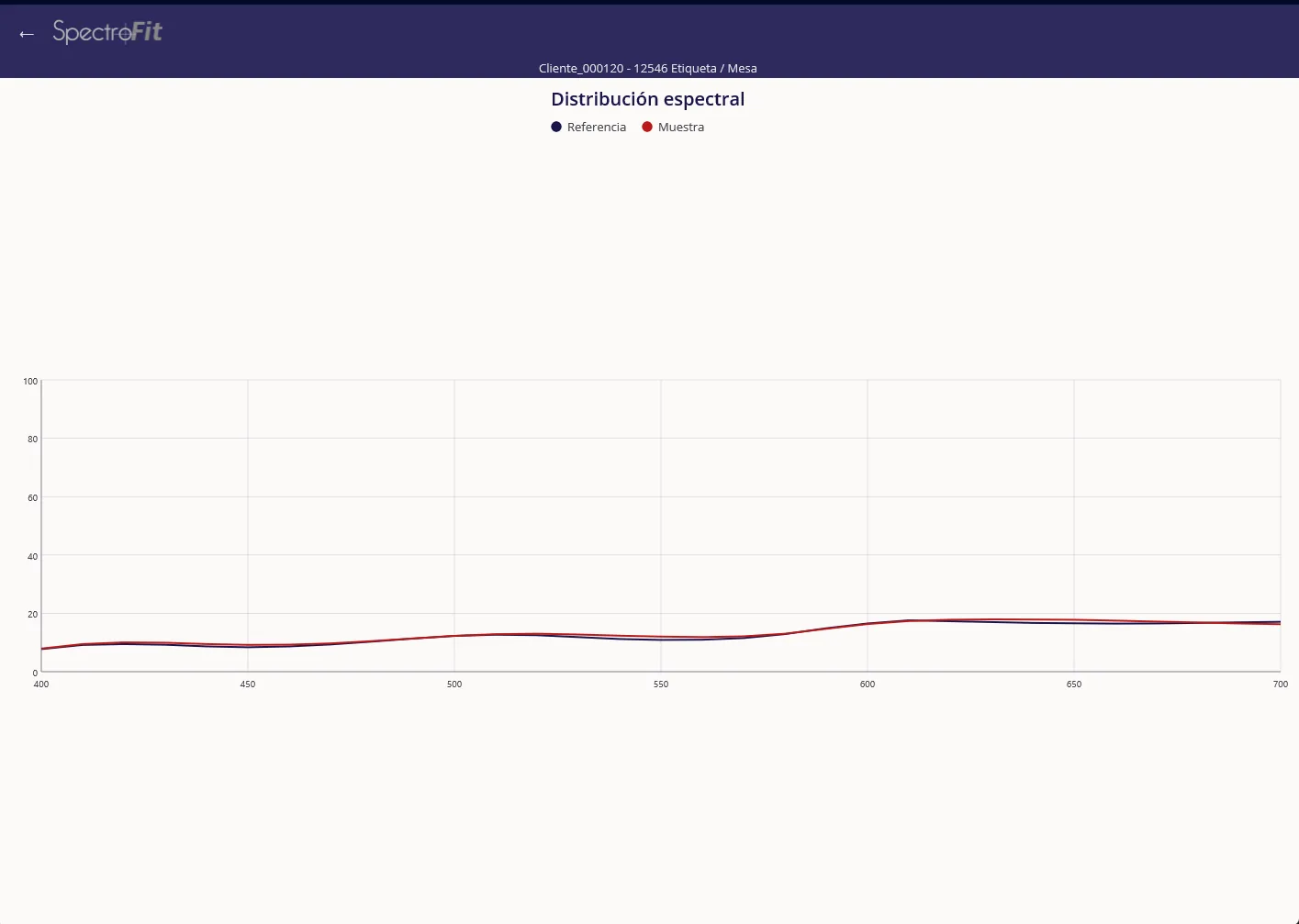
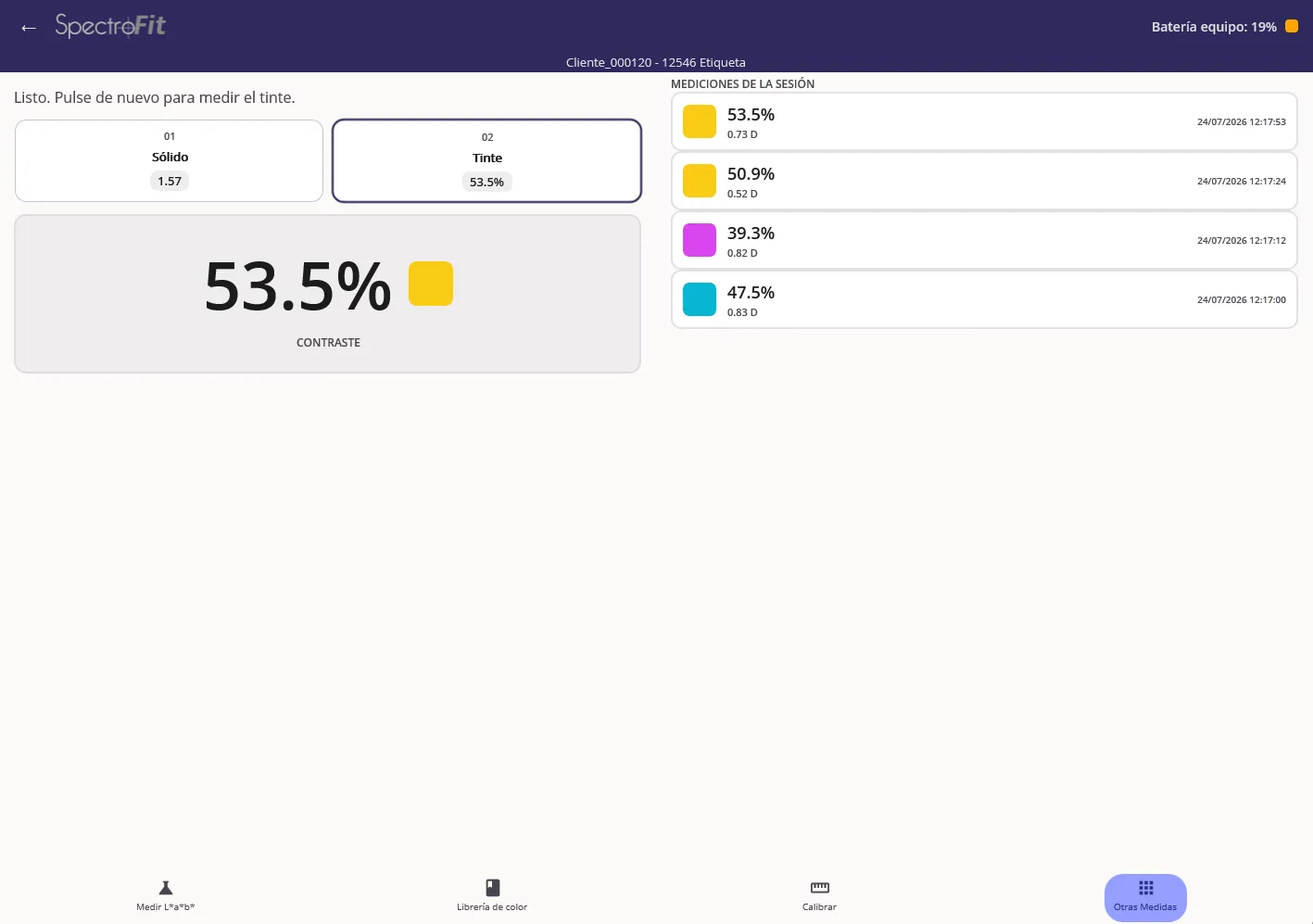
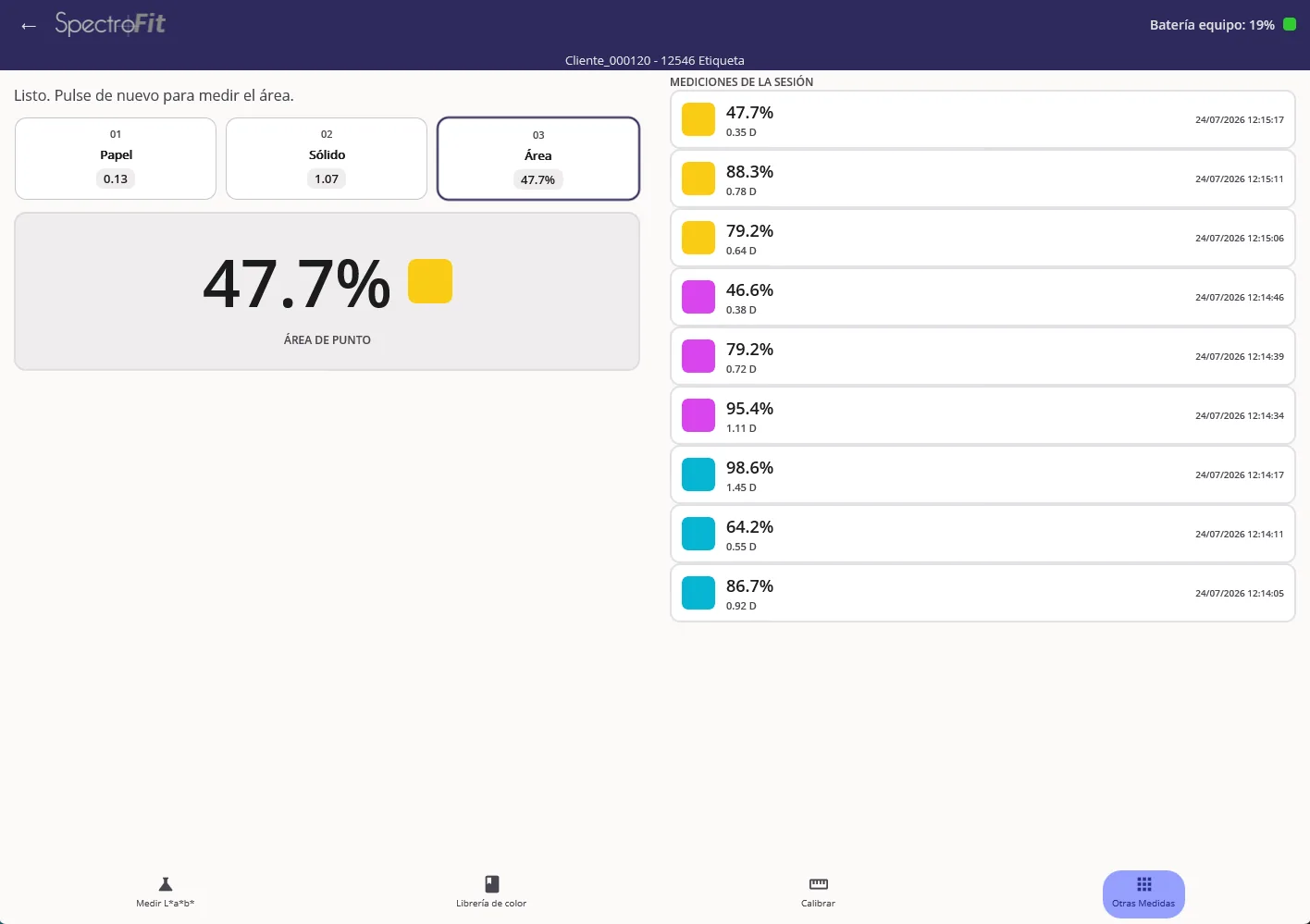
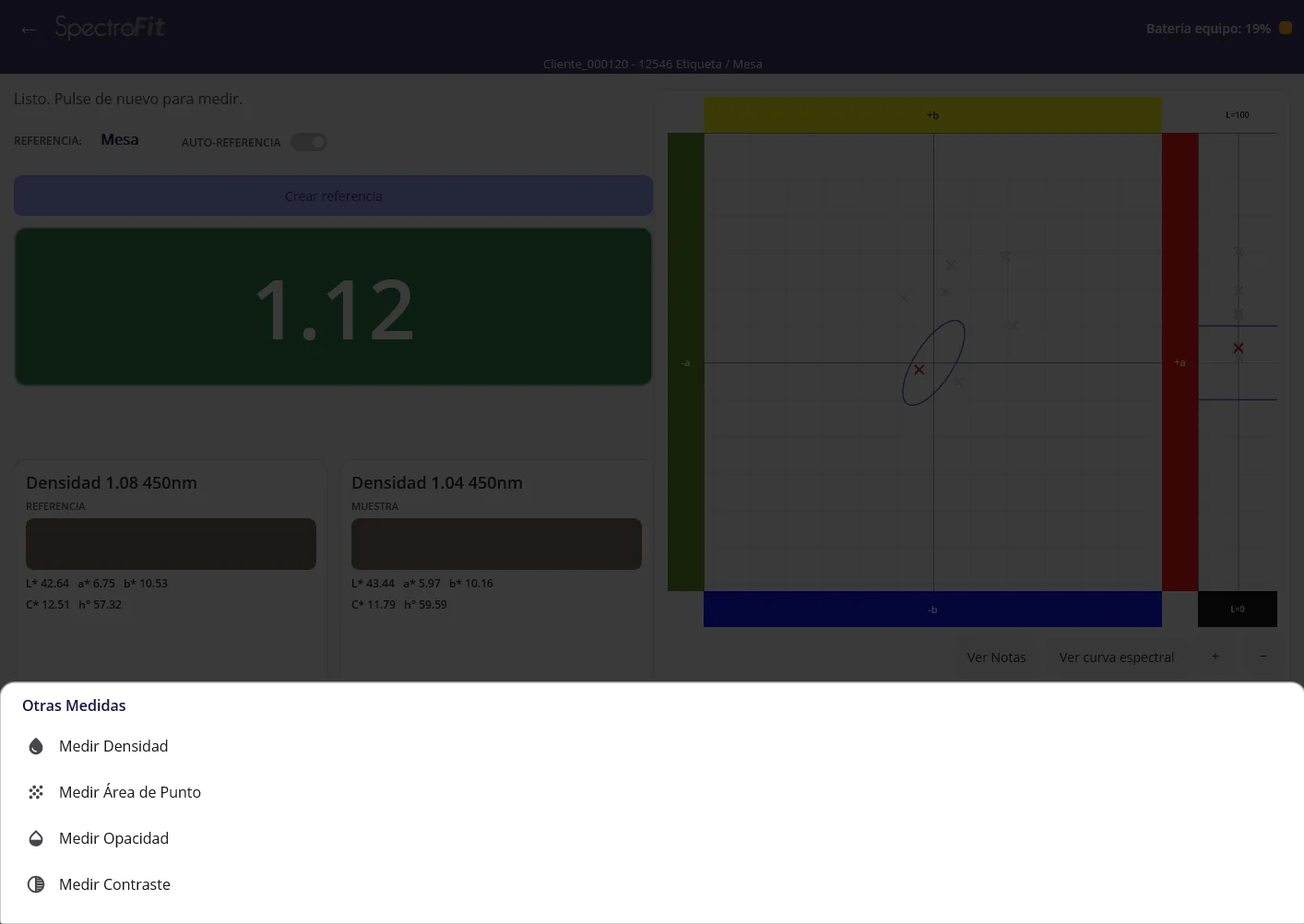
The Android app is not a viewer. It runs the full measurement set over Bluetooth — density, dot area, opacity, contrast, L*a*b*, spectral curve — and files every reading against the same client and job as the desktop.
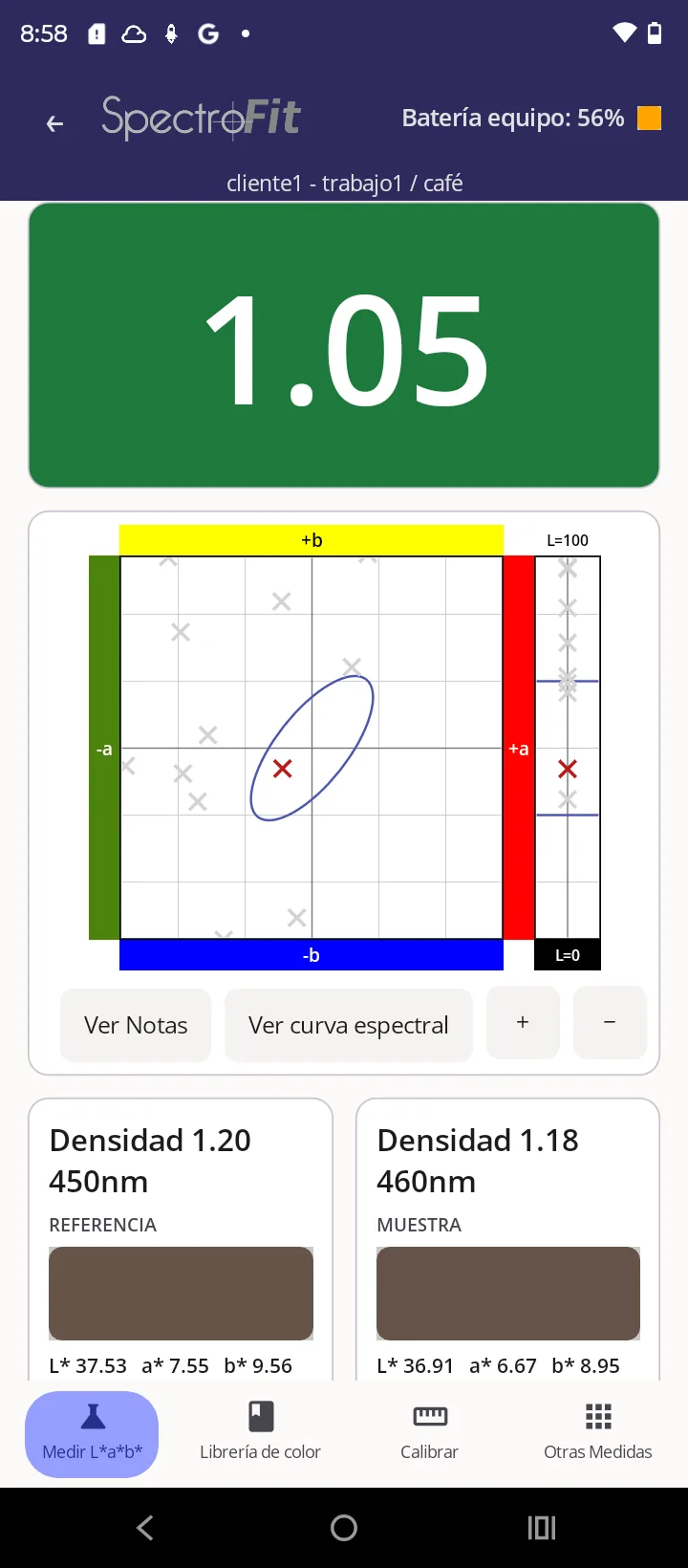
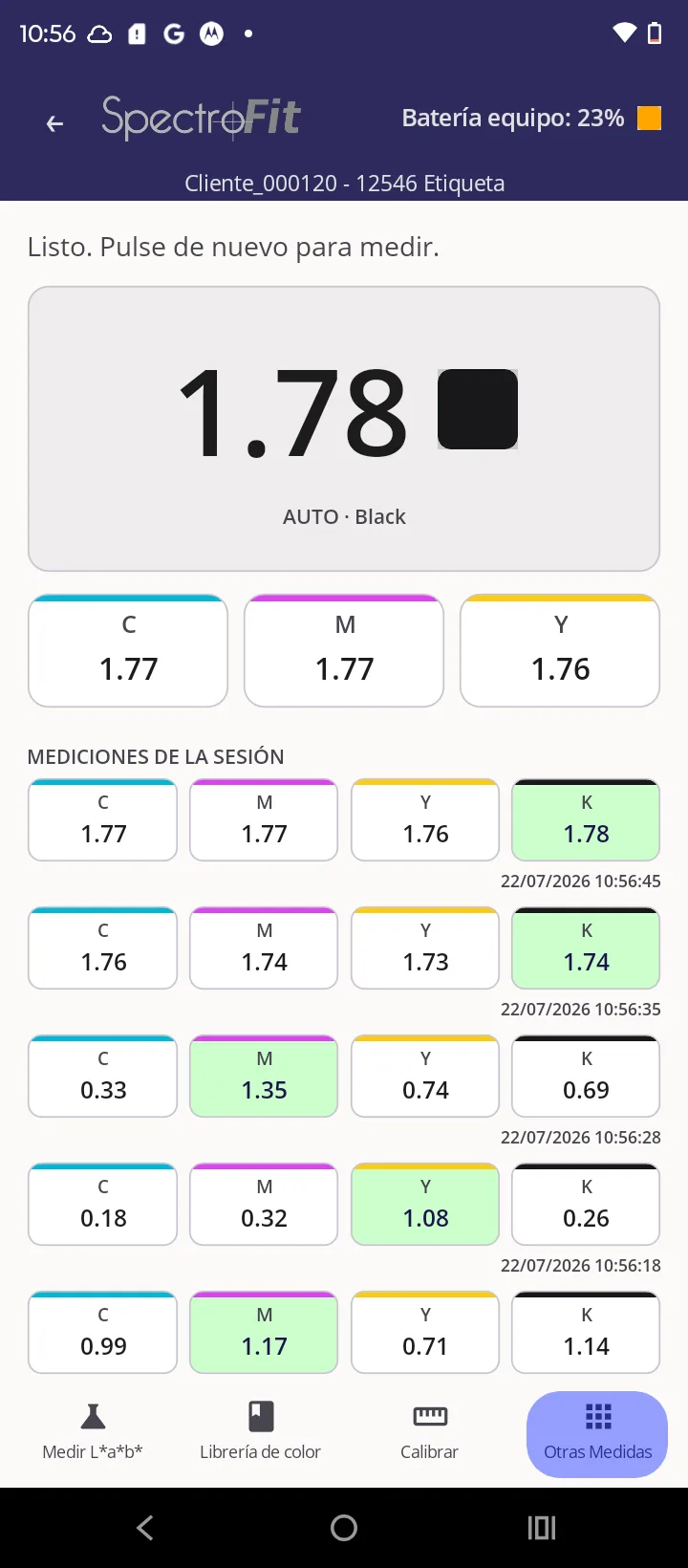
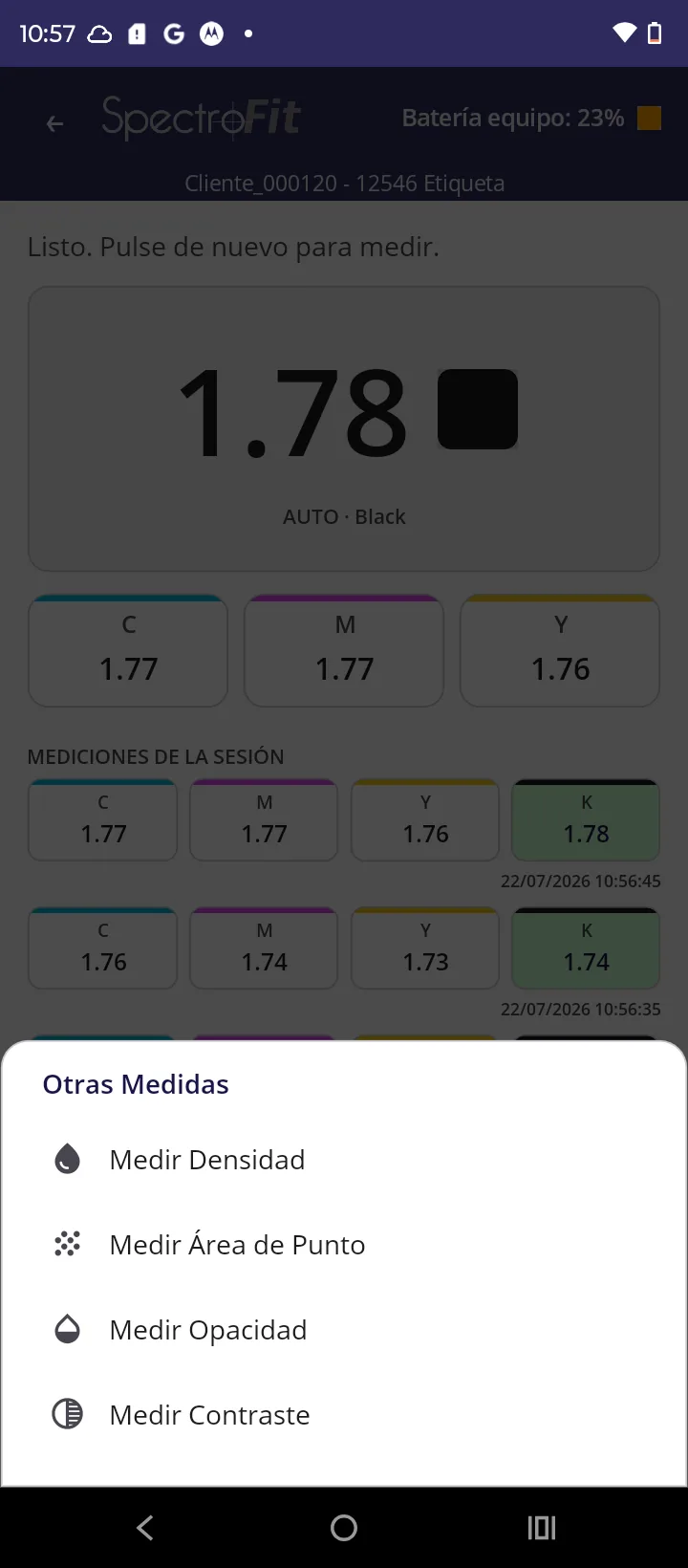
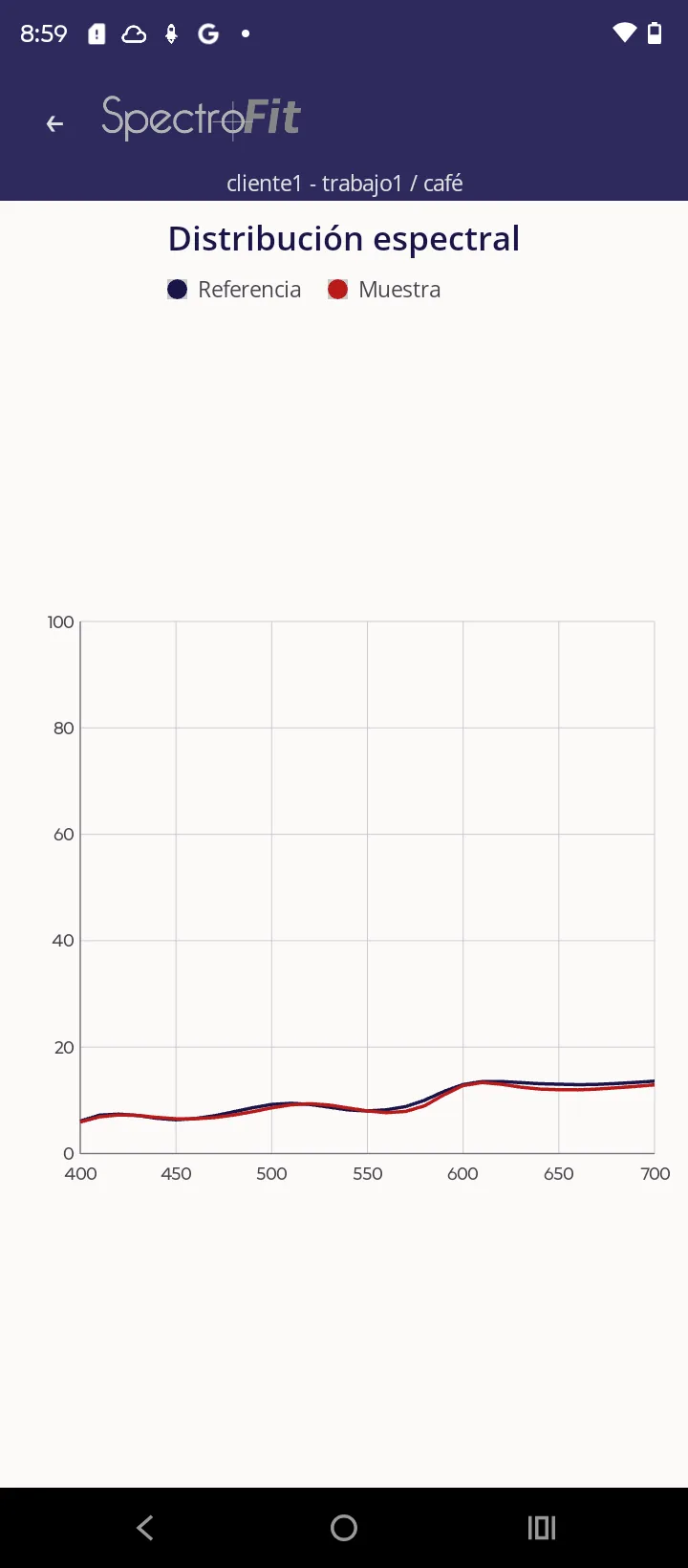
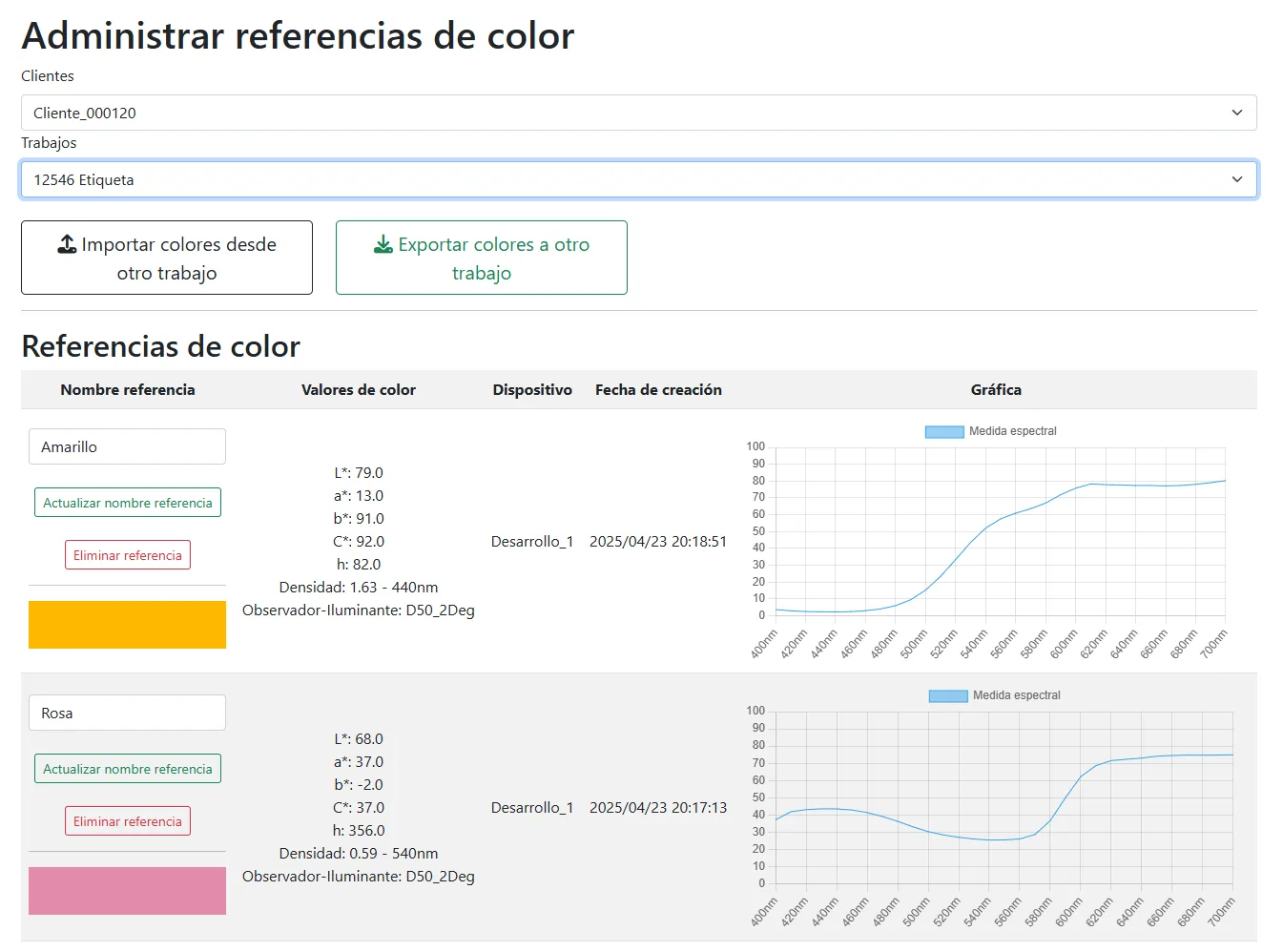
Every measurement is stored securely and separately in the cloud. Manage clients, jobs, and color references from any browser — and when a client asks whether last quarter's run held tolerance, the answer is already filed.
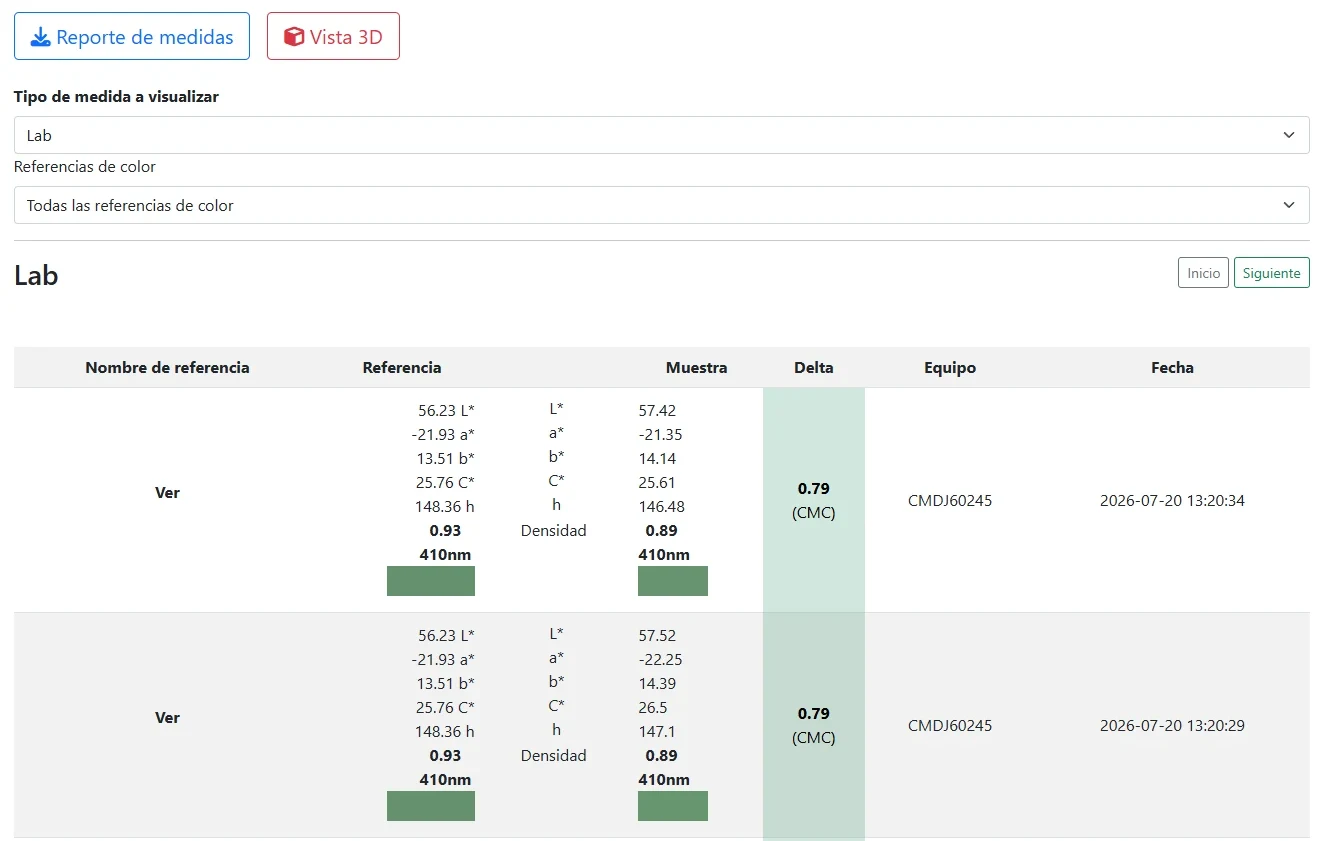
Pick the client, pick the job, and there it is: reference against sample, the Delta E, which device took the reading and the exact second it was taken.
Pull a report for any job, color by color: how many readings were taken, how far off they ran, and what share of them held tolerance. One page, and the argument is over.
The report opens with the client, the job, the measurement condition and the Delta E limit that was agreed. Then, for every color in the job, the four figures above.
Below them, every reading plotted over time against that limit, and the last five with the exact second each was taken. Six pages for a six-color job — one argument per color, already settled.
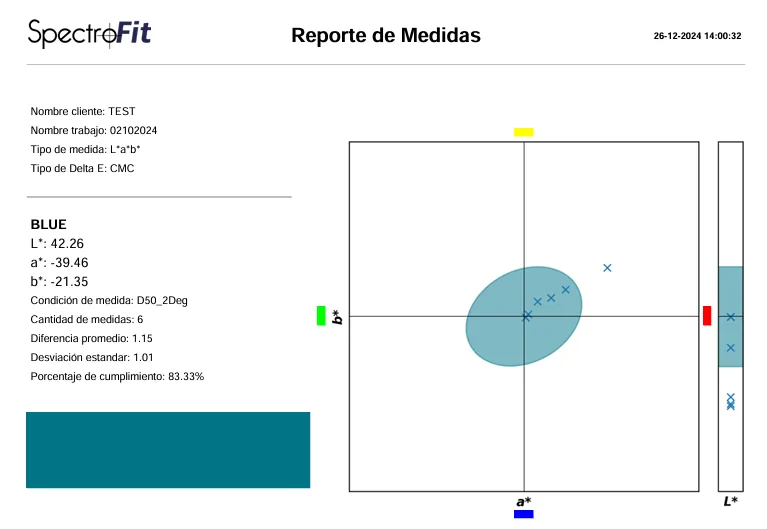
A whole run of one color, plotted in L*a*b* space against its tolerance volume. Depth only reads when it turns — a point that looks contained from one angle is plainly outside from another. Color by color, you see how the job actually printed, not one reading at a time.
Hit the color on the first run instead of the third. Substrate, ink, and press hours stop going into sheets nobody ships.
Store a client's corporate colors once and share them across every job you run for them. March's order prints the color that was approved in October — no hunting for the old sheet, no returns, no reruns.
The operator measures where the sheet is and adjusts on the spot.
When a client disputes a run, you answer with a report: how many readings, how far off, what share held tolerance.
SpectroFit is a color measurement and record system: an instrument that measures and software that keeps the record. The instrument is bought once. The software runs on an annual lease — and that annuity is what keeps the system updated, supported and calibrated.
The data lives in the cloud, not in the instrument and not on one computer — which is why the system needs a permanent internet connection, and why you can pull up any measurement from any browser.
An imported instrument is bought from a distributor in another country and calibrated on another continent. We build the device, we write the software, and we answer the phone — in Spanish, in your own time zone, across Colombia, Peru and Panama.
An imported instrument is bought from a distributor in another country and calibrated on another continent. We build the device, we develop the software, and we answer technical requests without delay.
You talk to the people who built the instrument, in Spanish and in your own time zone — not to a distributor relaying your problem to a factory overseas.
Anyone who has owned an imported instrument knows what it costs to ship it away for calibration and work without it for weeks. Here the annual calibration is part of the lease — and while yours is away, whether for calibration or a repair, we leave you a replacement unit.
A press that is down cannot wait a week for an answer. Write on WhatsApp and you get an immediate reply.
Installation and operator training are part of the sale, not an extra line on the quote — and the instrument ships with a one-year factory warranty. Your team ends up running jobs, turnkey.
Because that is what makes the record exist. The instrument has no internal memory to fill up and no export step to forget — every reading is written straight into the job it belongs to and is visible in the web manager the same second. A standalone unit stores readings inside itself, and the ones nobody downloads are the ones you needed six months later.
No. Without a connection the app will not take a measurement, and it resumes when the connection comes back. That is the trade for having nothing live only inside the instrument. In practice we recommend wi-fi coverage on the press floor, or simply using mobile data on the phone — which is how most of our customers work.
No. Storage and the calculation behind every reading run in the cloud isolated per account. Your clients, your jobs and your color references are yours.
Yes. Save any spot color as a reference — measured off an approved sheet or from a client's corporate standard — and every sample after that is compared against it with Delta E by CMC, CIE94 or CIE2000. It is the same workflow for a process ink and for a brand color.
Turn on auto-reference and SpectroFit picks the closest saved color reference itself, so every sample is compared against the right one without the operator choosing from a list.
A Windows 10 or 11 PC, or an Android 8 or later phone or tablet, with Bluetooth. On Windows you can also connect by USB-C cable if you would rather not rely on a wireless link.
No. Annual calibration of the instrument is part of the annual software lease. Day to day the device also calibrates against its own base in one tap from the app, whenever you want, without sending it anywhere.
No. While your instrument is away — for a repair or for its annual calibration — we leave you a replacement unit in its place. It is part of the annual lease, and it is the reason your plant does not stop measuring for a single shift.
Density of each CMYK ink, dot area and dot gain, print contrast, opacity, L*a*b* and L*C*h* coordinates, Delta E by CMC, CIE94 or CIE2000, and the full spectral curve from 400 to 700 nanometres in 10 nanometre steps.
The spectrodensitometer with its calibration base, the software installed on your PC, phone or tablet, your cloud web manager account, installation, operator training, and a one-year factory warranty on the instrument.
The instrument is bought once. The software runs on an annual lease, which carries unlimited updates, unlimited support answered immediately, and the annual calibration of the instrument. It is installed on your PC, phone or tablet, but the data lives in the cloud.
The instrument is yours — you bought it. What the annuity carries is the software: the updates, the support and the yearly calibration. If you are weighing it up, ask us and we will walk you through exactly how it works for your plant.
Yes. Ask for a demo with the instrument included for 15 days. We install it at your plant, train your operators, and you measure your own jobs during that time. At the end you decide with your own measurements in hand, not with ours.
Everything you need to pair a SpectroFit device and start measuring.
The desktop app, from the Microsoft Store. Windows 10 and 11.
Microsoft Store →The full measurement suite on a phone, over Bluetooth.
Google Play →Only needed for a cabled connection on Windows.
Download .exe →Clients, jobs, references, and reports in any browser.
Open →Ask for a demo with the instrument included, 15 days on your own press floor and on your own jobs. We walk your team through installation, training and calibration. At the end you decide with your own measurements in hand, not ours.